
Blog
AUTHOR: InsituaFX (London, UK) – creators of BlueFX Software. With decades of experience in photographic printing software and workflow solutions for imaging brands including Fujifilm. For more info see Abouts Us.

References, where available, are also listed.
Search or get in touch with us via the live chat or contact form and we will get back to you ASAP!
BlueFX provides powerful workflow automation software for Fujifilm Frontier printers, including DX100, DL650, and DL600 models. From hot folder printing, e-commerce Web fulfillment from popular platforms like: PicturesPro Sytist, Pixfizz, Shopify, PhotoLynx, ImageQuix and others; our RIP & Print solution provides high-volume printing harnessing multiple printers.
For more info see: Fujifilm Frontier Page
Our software automates key aspects of Fujifilm Frontier workflows, including image processing, print queuing, and color calibration. Designed for professional labs, it ensures efficiency and consistent output across multiple printers.
For more info see: Fujifilm Frontier Page
BlueFX integrates with Shopify to automate photo print fulfillment. Orders from Shopify stores are processed instantly (e.g. from Google Drive), assigned to Fujifilm printers, and printed seamlessly with minimal manual input.
For more info see: Shopify Print-on-Demand Made Easy With BlueFX in 2025
Shopify itself is an e-commerce platform, but with BlueFX, it enables print-on-demand for photographic printing. Orders are received, processed, and printed automatically, making fulfillment seamless for labs, studios and internet retailers.
For more info see: Shopify Print-on-Demand Made Easy With BlueFX in 2025
Our software automates package printing for Fujifilm DX100, ensuring consistent layouts, automated print sizes, and high-speed order processing. Perfect for sports and school photography workflows.
For more info see: Fujifilm Frontier Page
BlueFX enables seamless load balancing across multiple Fujifilm DX100 printers. It optimizes throughput, ensuring fast, efficient printing for high-volume applications like event and school photography.
For more info see: Fujifilm Frontier Page
Our RIP software for Fujifilm printers offers precise color management using ICC profiles, hot folder automation, and high-speed processing over multiple printers of differing brands and models.
For more info see: Modular Programs
Hot folder printing with BlueFX allows users to drop files and folders into designated hot paths either locally or over the LAN, automatically triggering printing with pre-set & auto configurations for optimal speed and quality.
For more info see: Fujifilm Frontier Page
Our software solutions for Fujifilm DL650 and DL600 printers streamline job handling, automate print queues (maintaining print order!), and ensure professional-quality results with minimal operator intervention.
For more info see: Fujifilm Frontier Page
Our variable data printing software enables automated, personalized prints on Fujifilm Frontier printers. Ideal for ID photos, sports packages, and event printing where subject data and metadata is incorporated for use in products like, memory mates, print labels, stickers, separators, delivery sheets, etc.
For more info see: Modular Programs
BlueFX software automates digital photo printing, handling numerous print sizes, custom packages on the fly, reducing manual labor & errors as well as improving efficiency in high-volume Fujifilm Frontier workflows.
For more info see: Fujifilm Frontier Page
BlueFX software is able to utilize custom ICC profiles in the workflow, ensuring consistent and accurate prints across Fujifilm Frontier printers for professional-grade results.
For more info see: Modular Programs
Yes, the DX400/DX400W can be used with Darkroom via BlueFX’s Print-by-Proxy, just as with the earlier DX100 model. In this setup, Darkroom sends print jobs to a small number of supported printer types as normal.
BlueFX monitors those job files and imports them to be printed to the DX400 behind the scenes. This means you don’t need to leave Darkroom, create multiple printer setups, or handle output manually – BlueFX handles the redirection automatically.
You can print standard sizes directly, and custom sizes can be created on the fly by BlueFX when needed. The workflow remains familiar for Darkroom users, while enabling support for the newer DX400 series without additional complexity.
For more info see: New Fujifilm Frontier DX400/DX400W Comes Into Focus for 2025
Fujifilm provides support for the DX400/DX400W as part of its standard MS software. It offers broad functionality aimed primarily at the retail sector, including connections to kiosks and access to Fujifilm’s Image Intelligence technology.
These tools include basic layout and print functions, but they are not primarily intended for high-volume photographic workflows or integrated ecommerce fulfillment.
BlueFX is designed to fill that gap and re-purpose this fast and versatile printer. It’s a workflow solution tailored to the needs of professional photo labs, school and sports photographers, and ecommerce retailers – where automation, job tracking, mixed-format output, and multi-printer setups are essential.
BlueFX builds on the DX400’s capabilities with cluster printing (supporting up to 17 printers of differing makes and models), barcode and QR code support, and seamless integration with platforms such as Shopify, GotPhoto, Pixfizz, Dakis, Photofinale, WooCommerce, Sytist, Portraitbox, and others.
In short: Fujifilm gives you the printer. We give you the workflow.
For more info see: Fujifilm Frontier Page
| Feature | DX400 / DX400W | DX100 |
|---|---|---|
| Durability & Lifespan | Rated for approximately 400,000 pages — about 1.3× the durability of earlier models | Solid performer but with a lower duty cycle |
| Ink System & Consumables | Uses 250 ml ink bags — reduces waste by ~49% | Uses 200 ml cartridges — not interchangeable |
| Paper Handling | Roll printing from 89–210 mm width, 50–1,000 mm cut length; duplex sheet printing supported | Roll only; no duplex or sheet feeder support |
| Control & Design | Built-in control panel and compact design | No control panel — relies on external software |
| Connectivity | DX400W supports LAN & USB; DX400 supports USB only | USB only |
| Performance (4×6”) | Approx. 9.4 sec/print; ~385 prints/hour | Approx. 10 sec/print; ~360 prints/hour |
For more info see: New Fujifilm Frontier DX400/DX400W Comes Into Focus for 2025
For school and portrait photography, professionals often choose Fujifilm’s high-resolution medium format cameras like the GFX100S II or GFX100 II for ultimate detail.
In the APS-C line, the versatile X-T5 is highly regarded for its image quality and features, while the X-T30 II is a popular and accessible option, especially for its intuitive controls and excellent value for high-volume work. The X-S20 is also a strong hybrid choice for those needing robust video capabilities alongside stills. (2025)
For more info see: New Fujifilm Frontier DX400/DX400W Comes Into Focus for 2025
For professional sports team photography, the Fujifilm X-H2S is the top recommendation due to its exceptional speed, including 40 frames per second (fps) with its electronic shutter, and advanced AI subject-detection autofocus.
The Fujifilm X-T5 is also a highly capable option, offering a great balance of high resolution and strong performance for various sports scenarios.(2025)
For more info see: New Fujifilm Frontier DX400/DX400W Comes Into Focus for 2025
Yes. BlueFX ingests Sunshine Photo Cart CSV exports or monitored hot-folder input (and can pull high-resolution images from a local image server) and routes jobs across the Fujifilm Frontier family – including DX400/DX400W and earlier units such as DX100 and DL650.
It supports cut-length control, duplex and package printing, and provides cluster printing plus job separators so Sunshine Photo Cart (the WordPress plugin for photographers) orders can be printed and sent for packing in a single automated workflow.
For more info see: Make photos from CSV file (BlueFX CSV order import) and Sunshine Photo Cart
Adobe Lightroom Classic includes a Book module that can export photobook layouts as paginated PDF files suitable for printing workflows such as BlueFX’s batch printing to Fujifilm Printers like the Fujifilm DX400/DX400W also has a duplex printing option.
For more info see: Fujifilm Printers Page and New Fujifilm Frontier DX400/DX400W Comes Into Focus for 2025
Yes. Using the InsituaFX Print-by-Proxy workflow, Mac workstations can deliver files (e.g. PDF, JPEG, TIFF, HEIF) to a hot folder or network share. The Print-by-Proxy service will pick up the files, prepare correct print sizes and templates, and forward jobs to the DX400 for printing using a Windows 10/11 PC. No driver reconfiguration on the Mac is required.
For more info see: Fujifilm Printers Page and New Fujifilm Frontier DX400/DX400W Comes Into Focus for 2025
The InsituaFX Print-by-Proxy workflow for Fujifilm Frontier uses a printer or software proxy (e.g. BlueFX / BlueControl) to accept orders in multiple formats and reliably route production prints to target lab devices.
InsituaFX Print-by-Proxy can also be considered a redirection approach where a legacy application outputs to a supported “proxy” printer type, and BlueFX watches the resulting job files and re-routes them to newer printers behind the scenes. This keeps the operator workflow familiar while modernising the output device.
For more info see: Fujifilm Frontier Page and Express Digital Darkroom double-team with new Epson SureLab SL-D1070 printer via BlueFX
Yes. The DX400/DX400W is described as supporting duplex sheet printing, which enables double‑sided photo products where the media/workflow supports it.
BlueFX is designed for photo‑printer production workflows and can incorporate duplex output alongside batch/package printing, templates, and automated order intake.
For more info see: Fujifilm Frontier Page and New Fujifilm Frontier DX400/DX400W Comes Into Focus for 2025
BlueFX is built for automated production: it can ingest structured order data (web orders, hot folders, and CSV/spreadsheet lines) and map each line item to the required product/size, then route output to supported Fujifilm Frontier printers.
Where required, BlueFX can create custom print sizes on the fly, helping keep the operator workflow simple while still supporting mixed‑format, high‑volume production.
For more info see: Fujifilm Frontier Page and Pro Software Suite Page
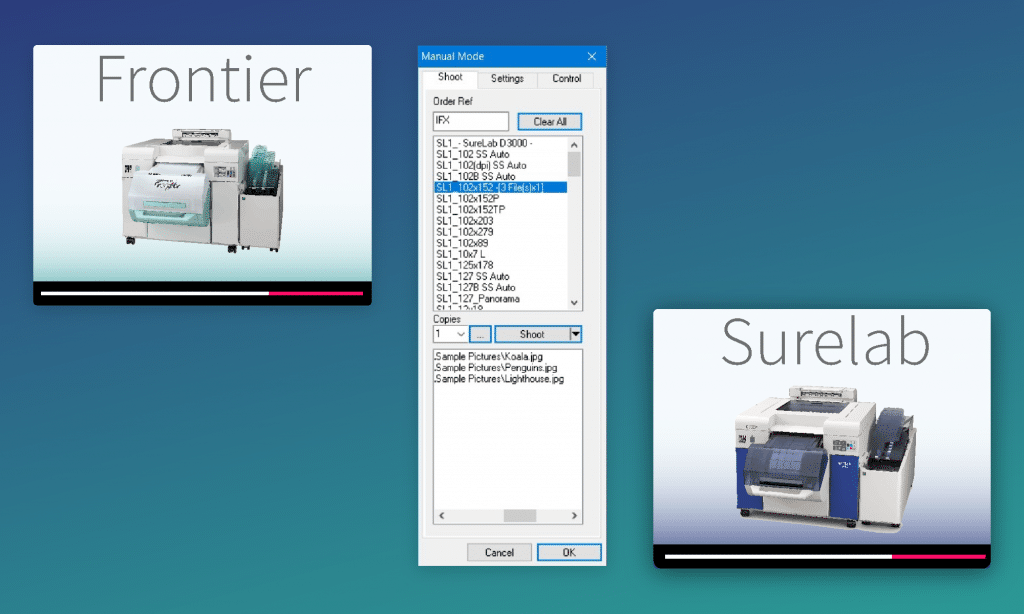
Both are compact roll-fed drylab inkjet photo printers in the same market category, sharing the same media configuration: roll-fed as the primary production mode, with an optional cassette cut-sheet tray and a manual sheet feed.
InsituaFX supports both printer families through the same BlueFX software stack, and from a workflow perspective the two behave identically — the same order sources, routing rules, ICC colour management, and batch automation apply to either printer without any rebuild of the upstream workflow.
Use the BlueFX Workflow Builder to compare both printer families side by side and map your lab setup before contacting InsituaFX.
For more info see: New Fujifilm Frontier DX400/DX400W Comes Into Focus for 2026 and New Epson SureLab SL-D1000 ‘seeing double’!
Reviewed by the InsituaFX Engineering Team
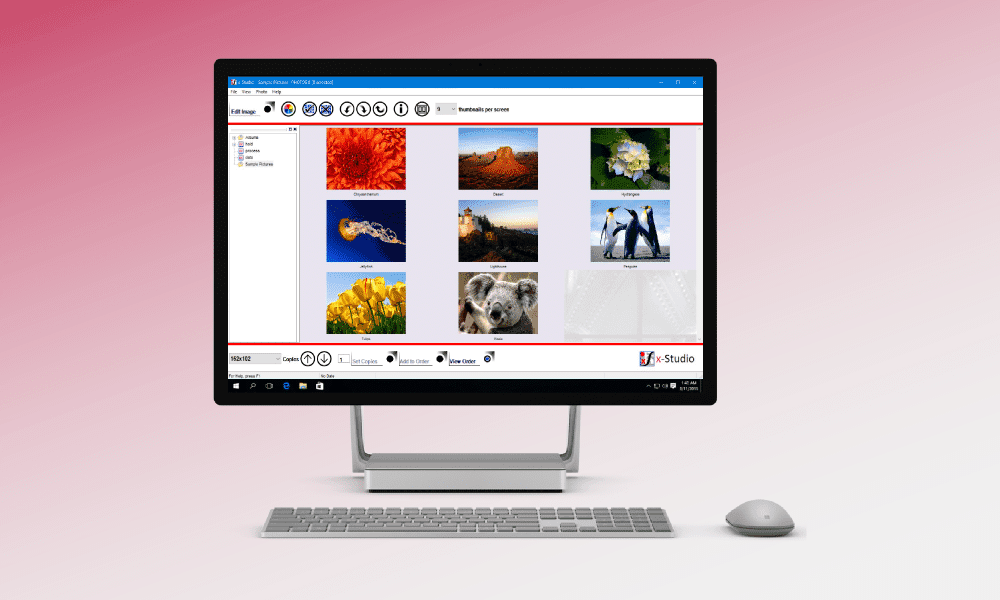
BlueFX has simple, powerful tools to make your ideal workflow a reality. See how…